I’m using the Milk-V cam on a Duo-S, imaged with SDK 2. I’m using the camera test example with the vision model enabled.
I’m trying to access the stream over a slow connection and there’s a lot of frame losses. There was some loss over lan too, but nearly not as much.
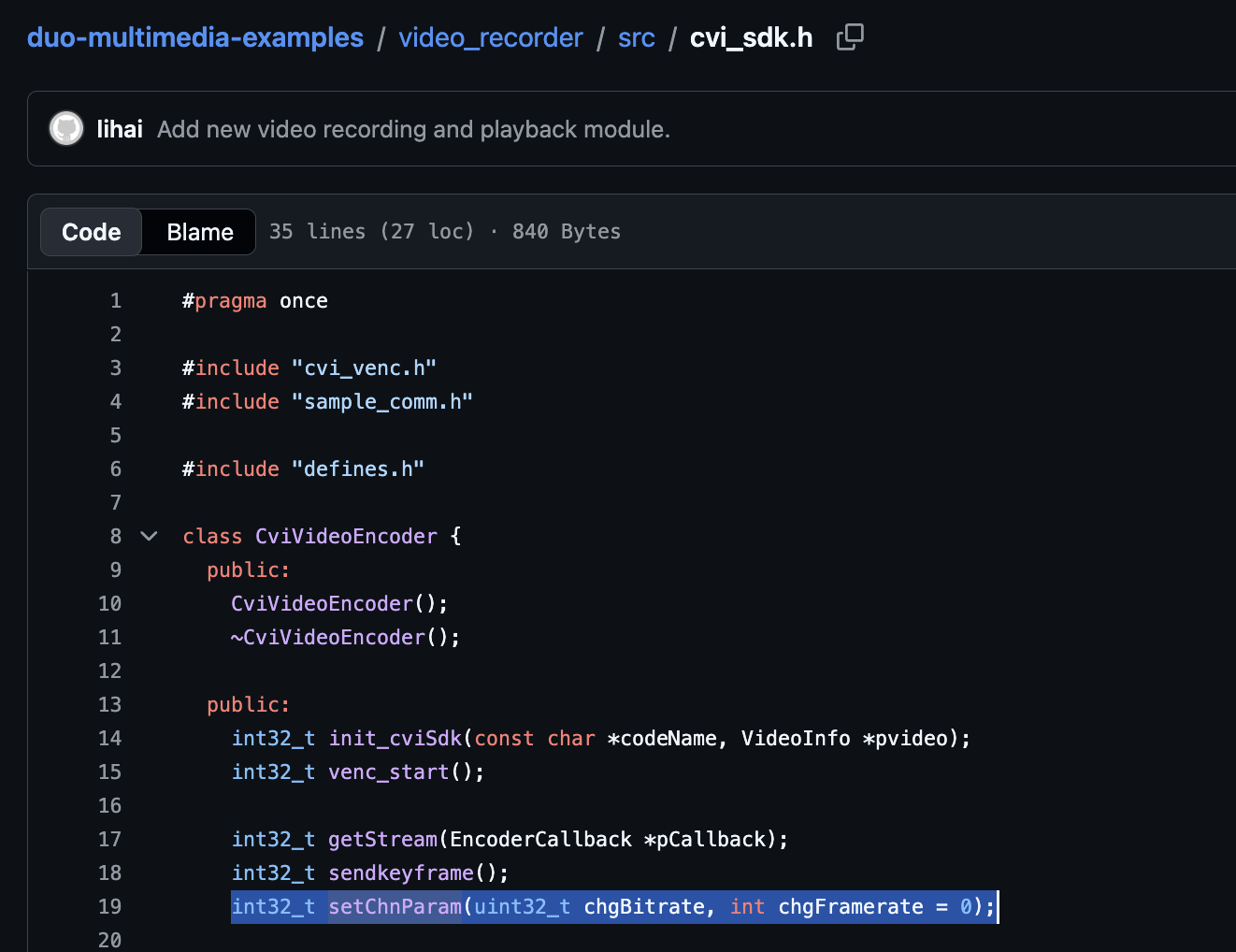
I would rather have a low frame rate of reasonable quality than what I currently manage to squeeze out. Is there a way to change the encoding frame rate for the stream?
(I can see that most cam related questions fall into a black hole, but maybe this one is easy enough…)
made a little table of all the decoding etc. issues I find in the streams, maybe it helps others. There’s some that are just network issues but a good number point at little things with the encoder etc., solving a few should step by step should allow to make large progress
Mplayer component
Message
Meaning
Impact
Causes
packet reader?
max delay reached. need to consume packet
packet loss or not generated
RTP
missed <NUM> packets
packet loss, not generated
RTP
bad cseq <SEQNUM> expected <SEQNUM>
packet loss, retransmits, memory corruption in encoder process
RTP
dropping old packet received too late
packet loss, retransmits
h264
error while decoding MB <NUM><POS?>
h264
mb_type <ID> in P slice too large at <POS><POS>
h264
concealing <NYM> DC, <NUM> AC, <NUM> MV errors in P frame
h264
]out of range intra chroma pred mode
There’s some that are just network issues but a good number point at little things with the encoder etc., solving a few should step by step should allow to make large progress.
The questions are mostly if there are stalls in sending / bufferbloat or similar things that IP stack tuning can already handle and which are bugs in the encoder and whether they are in the hardware processing or the example application.
I think the best approach is
start from a lower framerate,
look at generating only valid stream data
identify stalls, ensure a 10/25/30fps stream is generated constantly with h264 + npu hardware engaged
tune transmission
ensure all out-of-order transmissions are addressed and not caused by processing pipeline side
make sdk patches for 5) since this will be to noone’s disadvantage
thus my question about lowering the fps as a first step.
We’ve been adding camera support for the Duo S to armbian. You can take a look at this PR, compile and play around. This works with the mainline kernel. Using the tools in the linked repository (duos-camera), you can create streams with lower QP etc.
Awesome, this will save me so much of blindly stabbing around.
Bless you!
q: I see the image is using/running linux-image-edge-sophgo-sg200x-arm64 but I can’t get - or even find via web searches - the headers to go with it as per your instruction to install apt install build-essential linux-headers-<branch>-sophgo-sg200x-<arch> → would be linux-headers-edge-sopho-sg200x-arm64. This is a trixie image (so ‘edge’, right?). also can’t find it on pkgs.org.
I mean I see I’m on a -trunk version, but what I don’t get there was a downloadable SD card image, it boots flawless and has obviously been generated by an armbian build system since it’s there, so the packages ought to be somewhere. I’ve tried to add deb-src entries but no luck so far. so where did your package come from?
q: what kinda console are you using, are there plans to als oadd a usb-cdc or what it’s called network over usb thing?
half-answer: my issue was that it didn’t show up on ethernet, cause was a bad lan cable. 3 hours to figure out how to enable serial ports on an old rpi3b with 1GB ram and from there it was about 30 seconds to get serial console over to the Duo S and another 30 seconds to put in a new cable. I could have just tried that…
armbian community image builds are run through a different process than the supported armbian images. the kernel headers aren’t installed in course of the build and there’s no (public constantly available) repo backing them.
there might be some nightlys that have packages but it’s dependend on unrelated factors
there are unresolved project issues that cause the responsible releng/qa/infra person to be overloaded which hasn’t been solved in a large number of years
for that reason there’s no pragmatic changes to solve this common issue since (assumedly) once this is solved there’ll just be another issue that follows it
funding/sponsoring needs to be organized to make the community build infra covered cost-wise
i’m gonna donate a litte bit because i also just have a little bit
if i need the package I can’t rely on the infra that created the successfully working image
to get headers I need to run their own build armbian for my board, this uses the repo at armbian-build
per the docs at armbian build framework - basic you first install dependencies using the script (that’s as root, change the directories permissions back to being owned by your build user afterwards)
resulting command is $ ./compile.sh build BOARD=milkv-duos-arm BRANCH=edge RELEASE=trixie (or ‘riscv’ instead of ‘arm’ or ‘bleedingedge’ instead of ‘edge’, i’ll find out about that later)
The default images, and the one one can download is ‘minimal’ and that is likely why we don’t get headers with this image
I’m just using ARM because I’m running serial over the ARM RPi3 and it might be helpful in case I mess up libc or something similar. I’ll switch over to RISCV afterwards, in hopes that over the next year there will be more successful uses of the second RISCV core.
I’m running those at home instead of any larger cluster because my homeserver’s fans have been pissing me off ever since I had to turn up the heating and now for one that thing will at least have to earn the priviledge!
slamming them over the running edge image’s packages works:
root@milkv-duos-arm:/install/debs# dpkg -i *deb
Selecting previously unselected package armbian-bsp-cli-milkv-duos-arm.
[...]

dpkg: warning: downgrading armbian-firmware (26.11.0-trunk.108) to (26.11.0-trunk)
Preparing to unpack armbian-firmware_26.11.0-trunk_all__1-SAf7fa-Ba2de-R448a.deb ...
Unpacking armbian-firmware (26.11.0-trunk) over (26.11.0-trunk.108) ...
you see it’s considering a downgrade, so maybe i’ll better do a bleedingedge build as well, but that is just deciding the amount of already ported features, you can make your own choices about that. The build I had fetched was 107 and now i’m using parts of 108 so i think this is the perfect spot to aim for.
it later missed bison and flex for installing the kernel, but those are in the main repos so an apt install -f is enough to fix everything!
sorry, I missed these messages before! Do you need any help still? Does everything work now? I usually build my own debs (./compile.sh BOARD=milkv-duos-arm/-riscv kernel BRANCH=edge), then install them using sudo apt install --reinstall ./linux-*.deb. I’ll try vibe coding the ISP soon.
q: what kinda console are you using, are there plans to als oadd a usb-cdc or what it’s called network over usb thing?
The USB gadget is working. You can enable it by enabling the usb-gadget overlay. I was wondering whether to use the USB host or gadget as the default, decided to use the host mode in the end.
To use H.264 encoding you also need an overlay enabled.
You will get the most recent firmware if you switch to the beta repository (using armbian-config Software etc ). Otherwise I think you’re getting older armbian-firmware.
The packages will be sometimes seen as “downgrades” because of the random number in the hash I think.
As for your “second RISCV core” question - this one is independent, and can be used by the ARM or the RISCV main core. Not fully enabled yet as it needs some work, but you can enable an overlay for it.
I got most of it solved/figured out. I went with the ‘bleedingedge’ build, i only lost a lot of time till I understood the community packages don’t have headers.
The advanced section of the armbian-build docs has helped a lot with getting oriented.
At the moment I’m trying to find out how one gets not just the linux…-headers package but the full sources installed as well, since I’m missing stuff from /usr/src/linux-headers-7.3.1-bleedingedge-sophgo-sg200x-arm64/arch/arm64/tools.
edit: still looking for the full kernel sources, and github is rate-limiting my wget attempts - meh.
I also saw you already got a dkms package in the works, so this is purely hobby work to play instead of checking back in a few weeks.
I got one jetson, one rpi3 and one Duo S with a camera each and plan to put each of them in front of a test image.
I only know about the armbian overlays since 2 days, so i’ll try to figure out the additional parts, hw enc and secondary core.
myself I’m not competent enough to do something good with the 2nd core but I am kinda sure others will break through that wall over the next months as well. It’s so much progress now that it’s just gonna happen.
Today I also looked into crypto offload, unfortunately it seems noone has tried that so far, it seems there’s also no crypto offload examples in the sophgo sdk tree of kernel 5.10, that’s odd.
Other thing:
Maybe you want to make a dedicated armbian post that lists the overlays etc. that make up the ideal setup from your PoV?
I can’t thank you enough for the work you did.
But: Thank you!
as an advice for others: Back then I bought my Duo S batch without eMMC. anyone who is looking into buying some today, I really recommend getting the eMMC one since it gives more versatile options. It’s worth it!
I think the usb gadget mode is the better default
Pro:
it matches with the stock firmware
at least in the case of these normally headless devices it’s also quite useful
there are two USB ports, so there’s no total loss of options if it’s set up this way
allows using it without connecting ethernet
allows using it without serial cable in reach
Con:
no replacement distro does it by default
it doesn’t matter for people who are used to armbian already and set up the config via the sd card (but no chance for eMMC, unless loopback mounting the image with kpartx)
I think in total it could really look in favor of having the gadget mode. I often played with boards like this when i was on a train and had nothing to do. USB-C can do that even if you just got it stuffed in a backpack.
Again, I’ll reply more at legth later but I never usually set up armbian via the SD card, usually I just connect it to the Internet and use ssh. With the latest armbian-imager (2.5.0) you can even create profiles to set up wifi and other stuff automatically, no need for manual config file editing.
linux headers can be installed easily, for example: sudo apt install linux-headers-edge-sophgo-sg200x-riscv64. They can also be installed from armbian-config, please browse its options, the kernel section. If you don’t know a package name, you can use TAB for autocomplete (the most useful key on Linux). Don’t use wget with github, just clone the repository (armbian/build) and use it.
The kernel sources are in build/cache/sources/linux-kernel-worktree/ after you build an image.
The video thumbnail had the guy doing the youtube [open mouth] face so I could not take a look, sorry
Overlays have self-explanatory names (like video-codec) if you know what you want to do. If you don’t know them, then you probably don’t need them. There is no “ideal setup”, there are good setups for different purposes. Maybe I’ll make a post though.
Yup, the eMMC version is worth it. You can install the system to the eMMC using sophgo-emmc-install if you wish. Maybe I’ll fold it into armbian-install some day but it’s tricky with this one.
Claude did most of the work, I was just testing and giving orders.
@darkfader in 26.11 armbian you’ll have the ISP too. Or get a community image. In any case, everything works with mainline now and is open sourced. You can use the ISP.