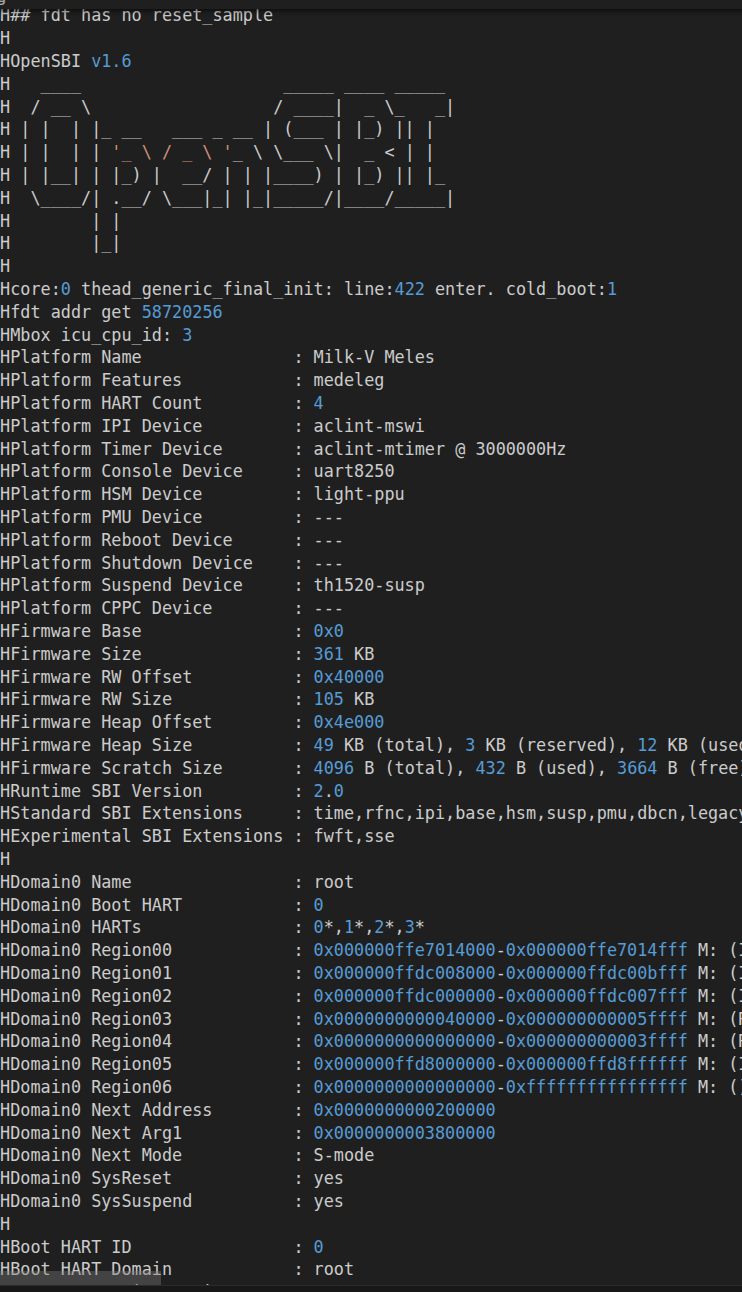
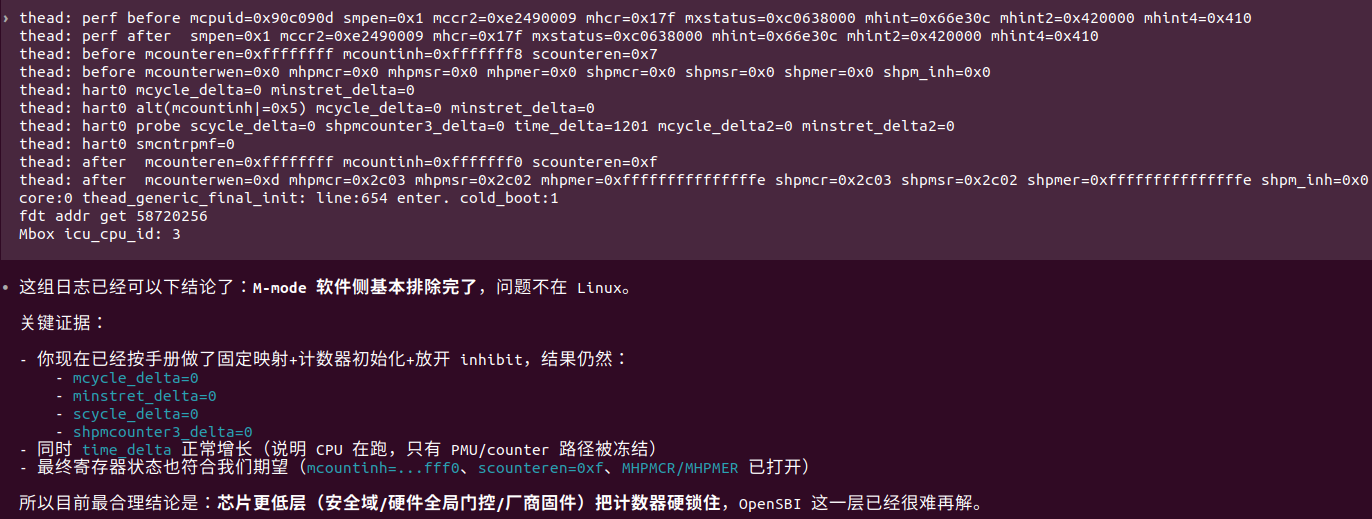
Objective: Execute privileged commands such as rdcycle and read/write CSR in Debian U-modeAction: Modified the U-Boot source code and successfully built out/u-boot-with-spl-meles-16g.bin following the meles-build project. However, after successful flashing, it fails to boot normally from the SD card. When I revert to the official U-Boot image, it functions correctly.Question: What steps should I take to achieve my objective?
目标:在Debian Umode运行rdcycle、读写csr等特权指令
操作:修改uboot源码按照meles-build项目成功构建out/u-boot-with-spl-meles-16g.bin但是在成功烧录后无法从sdcard正常启动,当我换回官方的uboot镜像时可以正常工作
问题:我该如何操作才可以实现我的目标?
UART Log:
[APP][E] protocol_connect failed, exit.
-----------------------------------------
  _____             _  _____ _____  _  __
 |  __ \           (_)/ ____|  __ \| |/ /
 | |__) |   _ _   _ _| (___ | |  | | ' /
 |  _  / | | | | | | |\___ \| |  | |  <
 | | \ \ |_| | |_| | |____) | |__| | . \
 |_|  \_\__,_|\__, |_|_____/|_____/|_|\_\
               __/ |
              |___/
                    -- Presented by ISCAS
-----------------------------------------

U-Boot SPL 2020.01-g3d877f36 (Jan 10 2025 - 10:02:07 +0000)
FM[1] lpddr4x dualrank freq=3733 64bit dbi_off=n sdram init
found ddr boundary <0x400000000>
ddr initialized, jump to uboot
image has no header


U-Boot 2020.01-g3d877f36 (Jan 10 2025 - 10:02:07 +0000)

CPU:   rv64imafdcvsu
Model: Milk-V Meles
DRAM:  16 GiB
aon wakeup by gpio enabled
aon wakeup by rtc enabled
iic id:0 addr_mode:0 speed:2
C910 CPU FREQ: 750MHz
MMC:   sdhci@ffe7080000: 0, sd@ffe7090000: 1
Loading Environment from MMC... Card did not respond to voltage select!
*** Warning - No block device, using default environment

In:    serial@ffe7014000
Out:   serial
Err:   serial
light_c910_set_gpio_output_high: trying to set gpio output high
Use random addr as fixed mac addr
Saving Environment to MMC... Card did not respond to voltage select!
No block device
Failed (1)
ethaddr: f2:54:01:ff:c3:53
eth1addr: f2:54:01:ff:c3:54
Net:   ethernet@ffe7070000 (eth0) using MAC address - f2:54:01:ff:c3:53
eth0: ethernet@ffe7070000
Hit any key to stop autoboot:  0
Unknown command 'usb' - try 'help'
53192 bytes read in 3 ms (16.9 MiB/s)
pmic_dev_num:2 offset:60 addr:1099510546492
regu_num:17 offset:178 addr:1099510546610
-->pmic_dev_num:2 offset:60
-->regu_num:17 offset:178
5281216 bytes read in 59 ms (85.4 MiB/s)
1736 bytes read in 3 ms (564.5 KiB/s)
273976 bytes read in 6 ms (43.5 MiB/s)
Card did not respond to voltage select!
Block device mmc 0 not supported
ERROR:runcmd read mmc 0:1 0xffe65a00 0 8 failed!
Retrieving file: /extlinux/extlinux.conf
935 bytes read in 4 ms (227.5 KiB/s)
U-Boot menu
1:      RevyOS GNU/Linux 6.6.119-th1520
2:      RevyOS GNU/Linux 6.6.119-th1520 (rescue target)
Enter choice: 1:        RevyOS GNU/Linux 6.6.119-th1520
Retrieving file: /initrd.img-6.6.119-th1520
22279227 bytes read in 241 ms (88.2 MiB/s)
Retrieving file: /vmlinuz-6.6.119-th1520
14205105 bytes read in 154 ms (88 MiB/s)
append: root=PARTUUID=80a5a8e9-c744-491a-93c1-4f4194fd690b console=ttyS0,115200s
Retrieving file: /dtbs/linux-image-6.6.119-th1520/thead/th1520-milkv-meles-16g.b
65816 bytes read in 6 ms (10.5 MiB/s)
Bad Linux RISCV Image magic!
2:      RevyOS GNU/Linux 6.6.119-th1520 (rescue target)
Retrieving file: /initrd.img-6.6.119-th1520
22279227 bytes read in 240 ms (88.5 MiB/s)
Retrieving file: /vmlinuz-6.6.119-th1520
14205105 bytes read in 154 ms (88 MiB/s)
append: root=PARTUUID=80a5a8e9-c744-491a-93c1-4f4194fd690b console=ttyS0,115200e
Retrieving file: /dtbs/linux-image-6.6.119-th1520/thead/th1520-milkv-meles-16g.b
65816 bytes read in 5 ms (12.6 MiB/s)
Bad Linux RISCV Image magic!
Milk-V Meles 16G#